Scan or add
Use the camera on iPhone or enter card details by hand.
 Holder
Holder for iPhone, iPad & Mac
Save your cards and copy their details whenever you need them.
Free to download
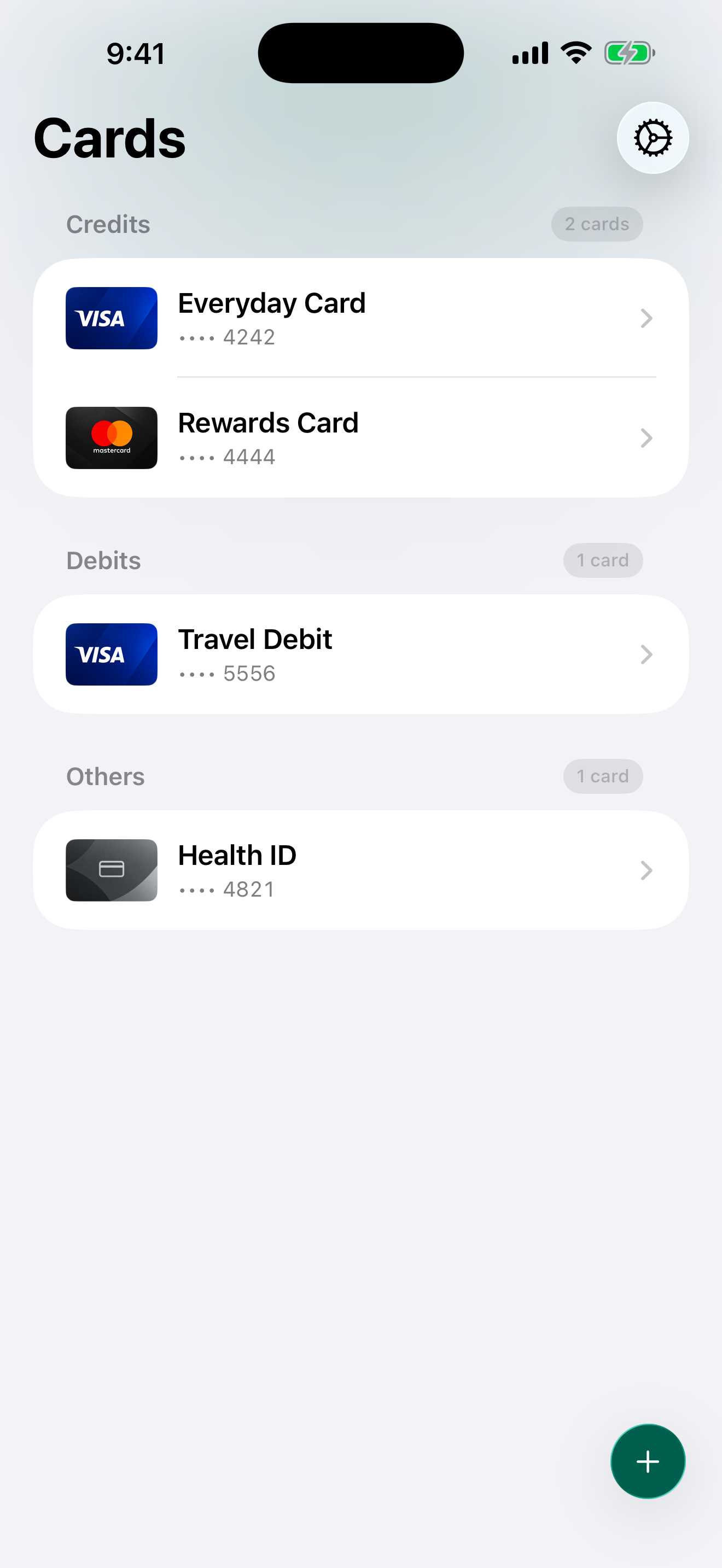
Everyday use
Scan a card or add it by hand. Keep the details ready to copy.
Use the camera on iPhone or enter card details by hand.
Choose Face ID, Touch ID, or your device passcode.
Open cards from widgets on iPhone or from the menu bar on Mac.
Privacy
Card details are stored in Apple Keychain. Optional card photos use iCloud. You can lock Holder with Face ID, Touch ID, or your passcode.
Questions
Credit cards, debit cards, IDs, memberships, loyalty and insurance cards, plus other card information you want organized in one place.
No. Holder is a card keeper, not a banking or budgeting app. It does not ask for bank credentials or analyze spending.
Card fields use synchronizable Apple Keychain, while optional card images use iCloud. You can also require Face ID, Touch ID, or your device passcode before showing card details.
Holder is available for iPhone, iPad, and Mac. When iCloud Keychain is enabled, saved Keychain items can stay available across your Apple devices.
Offline Card Vault: Holder
Available on iPhone, iPad, and Mac.